
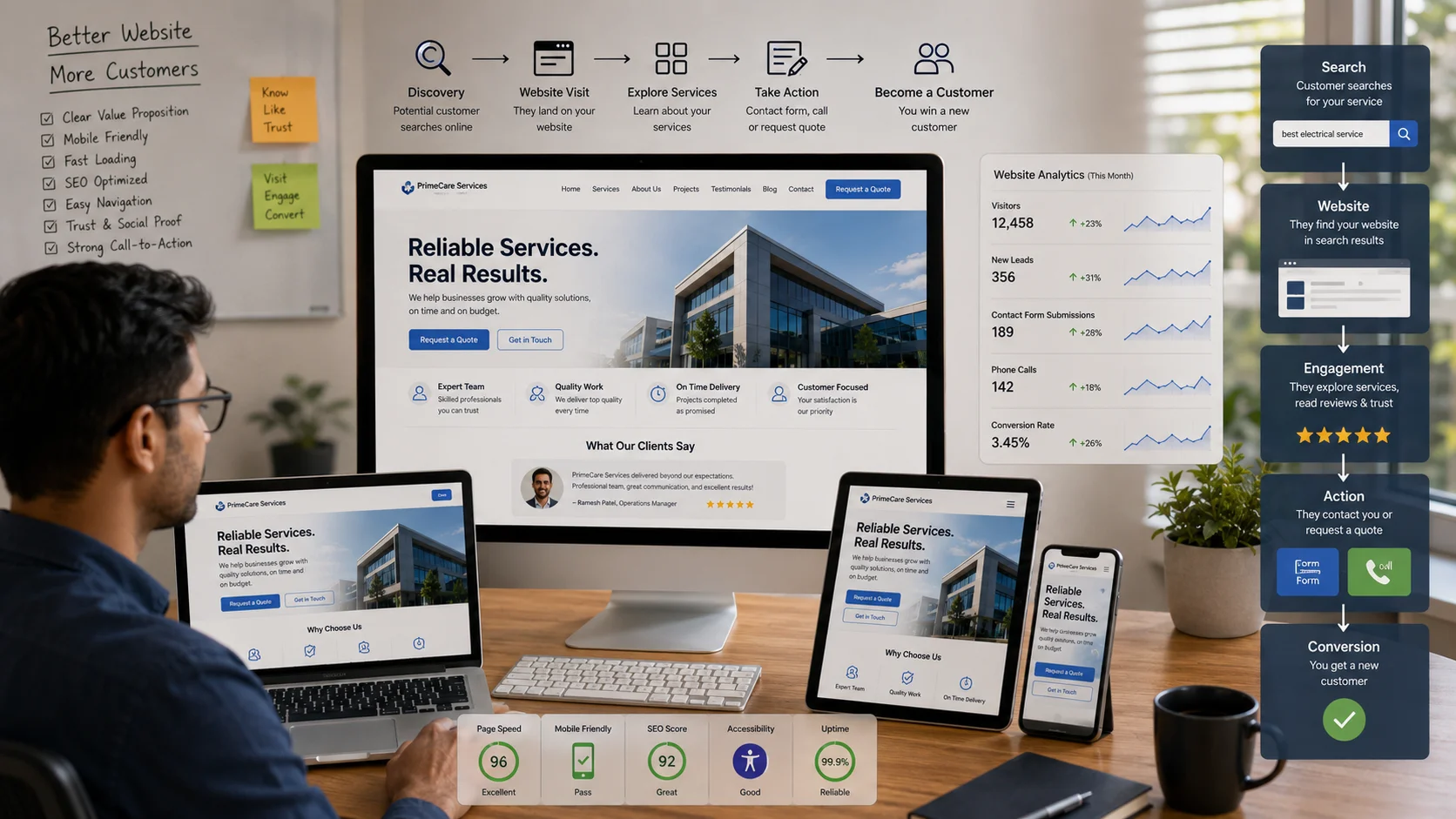
For local and service-based business owners, a small business website is often the first “hello” a potential customer receives. Yet many businesses have an online presence that is quietly undermined by common website problems. Pages feel confusing, the site does not earn trust quickly enough, and poor mobile performance makes basic tasks harder than they should be.
These website creation challenges may look small, but they can push real people away. A business can be doing excellent work while its website signals the opposite. Spotting what is broken and understanding why it matters is one of the fastest ways to turn a frustrating website into one that supports steady customer growth.
The good news is that building a better website does not always require a complete redesign. By improving search visibility, accessibility, user experience, page performance, content, forms, and analytics step by step, small business owners can create a website that is easier to find, easier to use, and more effective at generating inquiries.
Understanding SEO, Accessibility, and UX for a Small Business Website
Search engine optimization, accessibility, and user experience are three parts of the same job: helping the right people find your website and complete a task once they arrive.
SEO helps search engines understand and discover your pages. Accessibility reduces barriers for people using different devices, keyboards, screen readers, and other assistive technologies. UX design makes the path through the website clear, predictable, and low-friction.
This combination matters because visibility without usability can waste valuable traffic, while a usable website without visibility may remain difficult for potential customers to discover. It also supports trust because visitors notice when a website is easy to read, tap, understand, and navigate.
Think of your website like a storefront: SEO is the sign out front, accessibility is the doorway people can use, and UX is the layout that helps visitors find what they need and take the next step.
Accessibility improvements should be based on recognized guidance rather than assumptions. The Web Content Accessibility Guidelines provide a structured framework for making web content more accessible. Small business owners can also use practical resources such as this ADA compliance checklist and this website accessibility checklist as starting points for identifying common barriers.
Accessibility and SEO are not identical, and an accessible website is not automatically guaranteed higher rankings. However, many accessibility improvements—such as clear structure, descriptive links, understandable navigation, and usable mobile experiences—can also contribute to a better overall experience. This overview of SEO and accessibility explains some of the areas where the two disciplines intersect.
For businesses that need more than incremental improvements, professional UI and UX design can help identify friction in navigation, page hierarchy, forms, calls to action, and other important customer journeys.
Build Long-Term Website Skills With a Structured Learning Path
When you understand how SEO, accessibility, and UX fit together, the next step is developing enough knowledge to identify and fix issues without relying on guesswork. For some business owners, practical tutorials, documentation, and short courses may be enough. Others may prefer a deeper, structured learning path.
One long-term option is earning a degree that strengthens web and technical knowledge over time. A computer science curriculum can provide deeper exposure to coding, software architecture, cybersecurity, data structures, and artificial intelligence. If you are exploring what this type of curriculum may include, this overview of an online computer science degree provides one example of a structured learning path.
An online program may also be easier to balance with the demands of running a business. However, a degree is not required to make meaningful website improvements. The practical objective is to understand enough about your website to make informed decisions, ask better questions, and evaluate whether a change is improving the customer experience.
With that foundation in place, you can begin applying practical, underused improvements that make your website work harder without changing everything at once.
Apply Underused Tweaks That Make Your Small Business Website Work Harder
You do not need a full redesign to get better results. Make a short list of high-impact improvements, tackle them one at a time, and treat each change like a small lesson that builds your long-term website skills.
Cut Your Forms Down to the Minimum
Start by keeping only the fields you genuinely need to complete the next step. For many small business inquiry forms, that may be a name, email address or phone number, and one qualifier such as “What do you need help with?”
Move everything else behind a second step or collect additional information during a follow-up conversation. Long forms can create unnecessary friction, particularly when a visitor is making an initial inquiry and is not yet ready to provide detailed information.
Add short microcopy near the submit button that answers a real concern, such as “We reply within one business day” or “No obligation.” After submission, show a clear success message explaining what happens next.
If the current website has confusing forms, inconsistent page layouts, or unclear calls to action, a focused website design improvement can address these conversion barriers without changing the underlying business offer.
Speed Up the Pages That Make You Money First
Start with your three most commercially important pages, such as the home page, main service pages, and booking or contact page. Focus on these before spending time optimizing low-traffic pages.
Compress oversized images, remove unnecessary scripts, reduce heavy elements above the fold, and review third-party tools that load on every page. Performance should be evaluated using real metrics rather than a single arbitrary load-time number.
Google’s Core Web Vitals focus on loading performance, interaction responsiveness, and visual stability. These measurements provide a more useful framework for evaluating the experience visitors receive on important pages. For additional background on load-time considerations and performance data, see these website load time and speed statistics.
Prioritize improvements that affect real customers. A visually impressive animation that delays access to a service page may be less valuable than a simpler page that loads reliably and makes the next action obvious.
Write Customer-Focused Content That Answers “Is This for Me?” Quickly
At the top of each core page, clearly state who you help, what you do, and what outcome the customer can expect. Avoid jargon and internal company language that customers may not understand.
A visitor should not need to study several paragraphs to determine whether the service is relevant. Consider adding a short “Who this is for” section and three to five FAQs based on questions you hear during real calls, emails, or sales conversations.
This approach reduces unnecessary back-and-forth and helps better-fit prospects understand whether they should contact you. It also gives search engines clearer contextual information about the page topic.
For local and service-based businesses, customer-focused content should connect search intent with a clear next action. A structured SEO strategy can help align service-page content, technical SEO, internal linking, and search visibility around the problems potential customers are actually searching for.
Lock In Consistent Visual Styling With a One-Page Mini Style Guide
Choose one headline font, one body font, two or three brand colors, and standard button styles, then apply them consistently across the website.
Create simple rules such as:
- H2 headings use a consistent size and spacing.
- Primary action buttons follow one visual style.
- Secondary actions have a clearly different style.
- Links are visually recognizable.
- Forms use consistent labels, spacing, and validation messages.
Consistency makes pages easier to scan and helps the website feel intentional. It is especially important when multiple people update the website over time, because inconsistent additions can gradually make the site harder to use.
Add Website Search Functionality Where It Matters
If your website has more than a handful of pages, useful search functionality can help visitors find information quickly. Place search where users expect it, often in the header or navigation menu.
Do not treat website search as a feature that simply returns every possible result. Configure and review it so high-intent content—such as services, pricing information, locations, policies, documentation, and frequently requested resources—is easy to find.
Review internal search terms regularly. What people search for can reveal missing content, confusing navigation labels, new FAQ opportunities, and services that are difficult to locate through the existing menu structure.
For businesses with larger content libraries, customer dashboards, document repositories, or account-based services, a custom web portal may provide more useful search, role-based access, workflow, and information-management capabilities than a basic website search box.
Set Up Analytics Tracking That Answers Three Questions, Not Thirty
Track only what you can act on. For many small businesses, the most useful starting questions are:
- Which pages bring qualified inquiries?
- Which traffic sources lead to meaningful actions?
- Where do visitors leave before completing an important action?
Define two to four important events, such as a form submission, click-to-call action, email click, or booking start. Review these events regularly instead of collecting large amounts of data without a clear decision-making process.
If the numbers are confusing, write down one hypothesis, such as “a shorter form will increase completed inquiries,” and run a simple before-and-after test. Change one major variable at a time when possible so the result is easier to interpret.
The purpose of analytics is not to produce more reports. It is to help you make better website decisions.
Common Mistakes That Stop a Small Business Website From Attracting Customers
Small business owners often focus on visual appearance first, but customer attraction depends on more than how modern the website looks. Several common mistakes can reduce results even when the design appears professional.
- Unclear positioning: Visitors cannot quickly understand what the business offers or who it serves.
- Weak mobile usability: Buttons are difficult to tap, text is too small, or forms are frustrating to complete.
- Too many competing actions: Every section asks visitors to do something different, so the primary next step is unclear.
- Slow commercial pages: Large images, unnecessary scripts, and third-party widgets delay important service or contact pages.
- Missing trust information: Visitors cannot easily find contact information, service details, policies, testimonials, or relevant proof of work.
- No measurement plan: The business receives traffic but cannot determine which pages or sources contribute to inquiries.
The right solution depends on the type of problem. Some websites need content improvements, others need technical performance work, and some have reached the point where a redesign is more efficient than repeatedly patching an outdated structure. Reviewing the broader range of web development and digital solution services can help businesses understand the difference between design, SEO, portal development, automation, and other technical requirements.
Website Questions Small Business Owners Ask Most
What is the fastest SEO win for a small business website if I only have one hour?
Pick one high-intent page, such as your main service or booking page, and rewrite the top section to clearly explain the problem you solve, who the service is for, and what action the visitor should take. Then review the page title and main heading so they use the service terminology customers actually search for. Finally, add three to five short FAQs based on real customer questions or objections.
How do I know if my website is working without drowning in analytics?
Track three areas: which pages people enter through, which meaningful actions they take, and where they leave. Set up a small number of events such as form submissions, click-to-call actions, email clicks, or booking starts. If an important page receives traffic but produces few actions, improve message clarity and reduce friction before adding more traffic.
Should I worry about accessibility if I run a very small business?
Yes. Accessibility affects whether people with different abilities can read, navigate, understand, and interact with your website. Start with practical basics: readable color contrast, descriptive link text, labeled form fields, keyboard-friendly navigation, meaningful image alt text, and a clear heading structure.
Accessibility requirements and legal obligations can vary by jurisdiction and business context, so automated scanning should be treated as a starting point rather than proof of legal compliance.
What does an “ADA compliant website” mean in plain English?
The Americans with Disabilities Act is a U.S. civil rights law that prohibits disability discrimination in covered areas of public life. In website discussions, “ADA compliant” is commonly used to describe efforts to remove digital barriers that prevent people with disabilities from accessing information or completing tasks.
For practical website work, businesses often use WCAG as a technical accessibility framework. Because legal obligations depend on circumstances and jurisdiction, businesses with specific compliance concerns should seek qualified legal guidance rather than relying only on an automated accessibility score.
Can I improve website user experience without a full redesign?
Yes. Choose one important page and improve one meaningful point of friction. Simplify a form, make the primary button easier to identify, clarify the opening message, improve mobile spacing, or remove unnecessary distractions.
Small improvements can compound when they are measured. Compare performance before and after a change, then use the result to decide what to improve next.
When should a small business consider a complete website redesign?
A redesign becomes worth considering when the existing website has structural problems that are difficult to fix individually. Examples include poor mobile responsiveness, outdated technology, confusing navigation, inconsistent layouts, recurring performance problems, difficult content management, or a site structure that no longer matches the business’s services.
Before redesigning, identify the business goals, important customer journeys, content requirements, SEO risks, and technical constraints. A redesign should solve specific business and user problems rather than change the appearance alone.
Build a Customer-Attracting Website Through Small Weekly Improvements
A small business website can feel like a constant tug-of-war between “good enough” and “done right,” especially when time and budget are limited. The most reliable approach is to treat the website as a living business asset: focus on the factors that support clear messaging, findability, usability, accessibility, and trust, then improve them in manageable cycles.
When that approach becomes part of regular business operations, online customer engagement becomes easier to understand, leads can be better qualified, and website decisions can be connected to real customer behavior rather than guesswork.
A better small business website is not a one-time project. It requires regular review as customer expectations, services, content, devices, and search behavior change. Choose three improvements to make this week, schedule a short review for the following week, and use what you learn to decide the next priorities.
If your website needs more than small adjustments, Digitize Info System can review your current website goals, usability issues, SEO requirements, and technical needs to identify a practical improvement path. Explore our web designing services or contact Digitize Info System to discuss the website challenges affecting your business.
Frequently Asked Questions
A small business website attracts customers effectively by combining clear messaging, easy navigation, and strong trust signals. It should help visitors understand the business offer quickly and guide them toward the next action.
When the website is structured around customer needs, it becomes a more reliable tool for generating leads and building relationships.
Small businesses can improve performance by optimising images, enabling caching, and reducing unnecessary scripts. Faster loading pages keep visitors engaged and reduce the chance of them leaving before the site finishes loading.
A smoothly performing website helps the business appear more professional and makes it easier for customers to take action.
Mobile-friendly websites are critical because many customers now browse and buy from phones and tablets. If the site is hard to use on mobile, visitors are likely to leave and choose a competitor instead.
Ensuring the website works well on mobile devices helps small businesses capture traffic and create better experiences for on-the-go customers.
A small business should focus on usability, messaging clarity, and conversion flow when redesigning an underperforming website. Improving the way information is presented and how visitors complete actions has a bigger impact than cosmetic changes alone.
Prioritising these elements helps the site work harder for the business and create more measurable results.
