
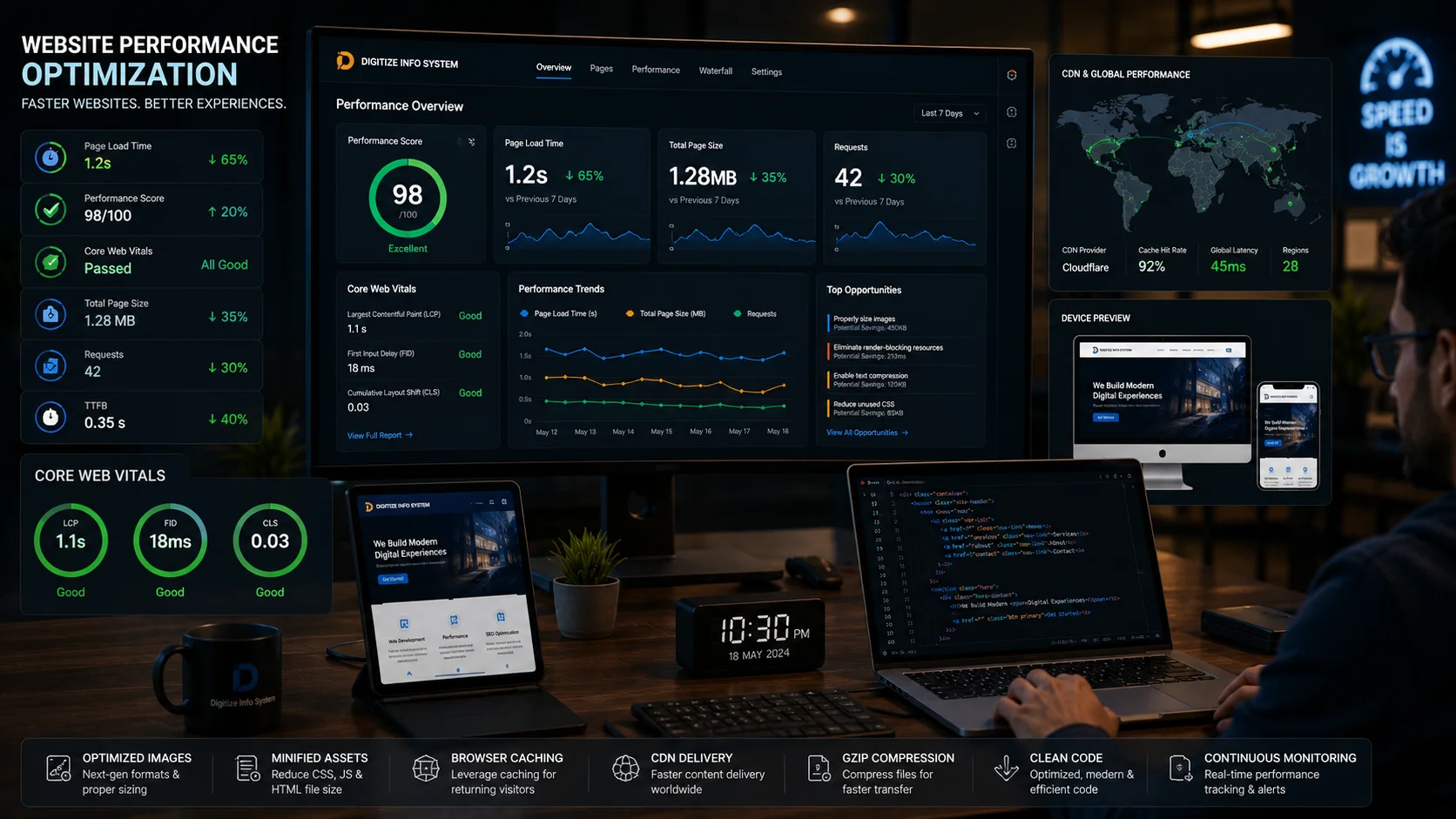
Optimizing web performance is no longer optional for modern businesses. In today’s competitive digital environment, users expect websites to load almost instantly. Even a small delay in page speed can negatively affect user engagement, search engine rankings, lead generation, and overall business growth.
A slow-loading website creates friction for visitors. Users often abandon pages that take too long to load, resulting in higher bounce rates and missed conversion opportunities. Whether you run an eCommerce store, SaaS platform, corporate website, or enterprise portal, website performance directly impacts customer satisfaction and revenue.
At Digitize Info System, we help businesses build high-performance digital platforms optimized for speed, scalability, and user experience through professional web design services, SEO solutions, and enterprise-grade web portal development.
Why Optimizing Web Performance Matters
Website performance affects far more than loading speed alone. It influences user behavior, search visibility, conversion rates, and long-term brand credibility.
Improved User Experience
Fast websites create a smooth and enjoyable browsing experience. Visitors can navigate pages quickly, access information efficiently, and interact with your platform without frustration.
- Better user engagement
- Longer session durations
- Higher customer satisfaction
- Stronger brand perception
Better SEO Rankings
Search engines like Google PageSpeed Insights emphasize website speed as an important ranking factor. Faster websites are more likely to achieve higher visibility in search results, especially on mobile devices.
Performance optimization also improves Core Web Vitals, including:
- Largest Contentful Paint (LCP)
- Interaction to Next Paint (INP)
- Cumulative Layout Shift (CLS)
Higher Conversion Rates
Website speed directly impacts business conversions. Slow checkout pages, delayed form submissions, or sluggish navigation can discourage potential customers from completing actions.
Optimized websites often experience:
- Increased sales conversions
- Higher lead generation rates
- Lower cart abandonment
- Improved customer retention
Reduced Bounce Rates
Users typically leave websites that fail to load within a few seconds. By optimizing web performance, businesses can reduce bounce rates and retain visitors for longer periods.
Top Techniques for Optimizing Web Performance
1. Reduce HTTP Requests
Every webpage component, including images, stylesheets, scripts, and fonts, generates HTTP requests. Too many requests increase loading times.
Common optimization methods include:
- Combining CSS and JavaScript files: Reduces the number of server calls.
- Using CSS sprites: Combines multiple icons or small images into one file.
- Code splitting: Loads only the necessary scripts initially.
- Removing unused assets: Eliminates unnecessary plugins and libraries.
2. Optimize Images Properly
Large image files are among the most common causes of slow websites. Image optimization can dramatically improve page speed.
Recommended Image Optimization Practices
- Compress images without sacrificing visual quality
- Use next-generation formats like WebP
- Resize images for responsive layouts
- Enable lazy loading for below-the-fold images
- Use responsive image delivery techniques
Businesses running high-traffic websites or eCommerce stores should prioritize image optimization as part of their overall eCommerce development strategy.
3. Enable Browser Caching
Browser caching allows static assets such as CSS, JavaScript, and images to be stored locally on a user’s device. This significantly reduces loading times for returning visitors.
Proper caching strategies help:
- Reduce server load
- Decrease bandwidth usage
- Improve repeat visitor performance
- Enhance overall website responsiveness
4. Minify HTML, CSS, and JavaScript
Minification removes unnecessary whitespace, comments, and unused code from website files.
Benefits include:
- Smaller file sizes
- Faster rendering
- Reduced bandwidth usage
- Improved frontend efficiency
Modern frameworks like React.js, Vue.js, and Laravel typically support automated minification during deployment workflows.
5. Use a Content Delivery Network (CDN)
A Content Delivery Network (CDN) distributes website assets across multiple global servers. Users receive content from the nearest server location, reducing latency and improving loading speeds.
Popular CDN providers include:
- Cloudflare
- AWS CloudFront
- Fastly
- Google Cloud CDN
CDNs are especially useful for businesses targeting international audiences or operating large-scale SaaS platforms and enterprise systems.
6. Improve Server Response Time
Server performance plays a major role in website speed. Poor hosting infrastructure or unoptimized backend processes can slow down response times.
Server Optimization Best Practices
- Upgrade to high-performance hosting
- Use SSD or NVMe storage
- Implement server-side caching
- Optimize database queries
- Use modern PHP and database versions
- Monitor server resource usage regularly
Our server support services help businesses maintain secure and high-performance hosting environments.
7. Optimize the Critical Rendering Path
The critical rendering path determines how quickly users can see visible content on the screen.
Optimization strategies include:
- Inlining critical CSS
- Deferring non-essential JavaScript
- Reducing render-blocking resources
- Preloading important assets
Faster rendering improves perceived website speed and enhances user engagement.
8. Focus on Mobile Performance
Mobile traffic now dominates web usage globally. Websites must perform efficiently on smartphones and tablets, especially under slower network conditions.
Mobile Optimization Strategies
- Use responsive design layouts
- Optimize touch interactions
- Reduce mobile asset sizes
- Minimize intrusive popups
- Enable adaptive image loading
Businesses investing in mobile application development should also ensure seamless integration between mobile apps and responsive web platforms.
Advanced Web Performance Optimization Techniques
Implement Lazy Loading
Lazy loading delays the loading of non-critical resources until users scroll near them. This significantly improves initial page rendering speed.
Use Modern Frontend Frameworks
Technologies such as React.js, Vue.js, and Next.js help developers build optimized frontend experiences with efficient rendering and component-based architecture.
Optimize Database Performance
For dynamic platforms like CRM systems, SaaS platforms, and enterprise portals, database optimization is essential.
Best practices include:
- Index optimization
- Query caching
- Database normalization
- Removing unused data
- Efficient API handling
Best Tools for Website Performance Testing
Google PageSpeed Insights
Google PageSpeed Insights provides detailed recommendations for improving website speed and Core Web Vitals performance.
GTmetrix
GTmetrix offers advanced website speed analysis with waterfall reports and optimization insights.
Pingdom Website Speed Test
Pingdom Website Speed Test helps identify bottlenecks and server response issues.
WebPageTest
WebPageTest provides comprehensive performance testing from multiple geographic locations and browser environments.
Browser Developer Tools
Modern browsers include built-in developer tools for analyzing network requests, rendering performance, and frontend bottlenecks.
Real-World Business Impact of Website Performance
Optimizing web performance delivers measurable business benefits across industries including eCommerce, healthcare, SaaS, fintech, education, and enterprise software.
Organizations with faster websites often achieve:
- Higher organic search rankings
- Improved lead generation
- Stronger customer engagement
- Better mobile usability
- Lower infrastructure costs
- Improved customer trust
Performance optimization is especially important for enterprise dashboards, customer portals, CRM systems, and high-traffic applications.
Conclusion
Optimizing web performance is essential for businesses that want to improve SEO rankings, user experience, conversions, and long-term digital growth. Modern users expect fast, responsive, and reliable digital experiences across all devices.
By implementing proper caching, image optimization, code minification, server improvements, CDN integration, and mobile optimization strategies, businesses can significantly improve website performance and stay competitive in the digital landscape.
If your business needs expert support with high-performance websites, enterprise portals, SEO optimization, or scalable digital infrastructure, the team at Digitize Info System can help.
Need Help Optimizing Website Performance?
Boost your website speed, improve SEO rankings, and deliver better user experiences with expert optimization solutions from Digitize Info System.
Frequently Asked Questions
Website speed matters for business success because slow pages drive visitors away and reduce conversions. Fast-loading sites keep users engaged, improve search rankings, and make it easier for customers to find what they need quickly.
That means investing in web performance is not just a technical task—it directly impacts lead generation, user satisfaction, and revenue.
The most effective ways to improve website performance include optimising images, minimising JavaScript, enabling caching, and using a content delivery network. These techniques reduce load times and make the site feel faster for every visitor.
Performance optimisation should also include monitoring and testing regularly so businesses can identify bottlenecks and fix them before they affect the user experience.
Web performance affects SEO and user engagement because search engines favour pages that load quickly and users prefer websites that respond instantly. A faster site often ranks higher in search results and keeps visitors on the page longer.
Improving performance can therefore boost organic traffic and help businesses retain more potential customers from every site visit.
A business should prioritise performance improvements when existing site speed is harming conversions, search visibility, or customer satisfaction. If the website is slow, adding new features can make the problem worse rather than delivering more value.
Prioritising performance first ensures the platform can support future enhancements without creating a poor experience for users.
